1. Web Design Basics:Choosing the Right Colors for Your Web Site

    Wednesday, May 30, 2007
    By Andy

    Do colors influence web site visitors?

    Several years ago, having a web page (as a business or as an individual), was an indicator of prosperity, and required a certain amount of financial power. Nowadays, almost everybody has one. They are easy to create (thanks to instant web page generators), even if they are not always works of art.

    The main problem resides primarily in choosing the right colors for the web site. It is not always easy to properly assort the background color with the text color. The readability of a page can be influenced negatively if the color contrast is badly chosen. The background of web pages is white by default, like a sheet of paper.

    Colors for Web Site Visitors

    Researchers agree that colors greatly influence the human psychic. Consequently, the color scheme that you use on your web site can entice the visitor to engage in the goal of your site (i.e. make a purchase or request your services) or leave it after the first few seconds. It is the human nature to yield to the concept according to which "the first impression counts".

    Even if they are not aware of it, your visitors will be greatly influenced in their decision to keep browsing your site or to leave it because of the poor choosing of colors and other visual displayed elements. On a psychological level, they will respond to the stimuli offered by the web site.

    When viewing a web page, people will get excited, happy or bored. All this depends on the color selection. You need to be aware of the audience to which you're addressing and make the right choices. Color is a great means of communications, and it is best to make sure that you are saying the right thing.

    Here are a few tips that you should consider

    ~Use a palette of colors found in nature. They are more pleasing than any of their artificial counterparts. Combine them in order to get the emotional response that you want to get from your visitors. Unnatural colors, such as bright greens, blues or reds usually cause eye fatigue and chase visitors (i.e. prospects) away

    ~Create a strong contrast between a page's background and its text. The best combination for readability is black text on white background, but there are other excellent combinations also. Besides white, other effective web site background, colors are dark blue, gray and black.
    ~Avoid pairing blue and red, or blue and yellow. Green text on red background or red text on green / blue background are also choices that you shouldn't make, because such combinations usually cause eye fatigue.

    ~Select up to five (some say seven) different colors and use them consistently throughout the web site.

    ~Avoid using the blue color for small texts and diagrams with thin lines. Apparently, the specialized eye receptors for blue are the least numerous.

    ~Be aware that there are lots of people with color perception problems, so it might be quite difficult for them to perceive the message transmitted by your site the way you want them to.
    ~While some colors are dull by themselves, such as black, or gray, their juxtaposition with, for example, orange, can create outstanding effects.

    ~Use white spaces to balance the other colors from your site. It will make web pages easy on the eyes.

    ~Make sure you always perform a readability test for your web site. Use different shades of one color and, above all, pay attention to the harmonization of the different colors you use.

    Colors and People

    Keep in mind that responses to colors vary according to factors such as gender, age, or cultural background. You need some serious market research in order to make your site appealing for the exact category you're targeting.

    Old vs. Young People

    People of different ages have different reactions to colors. People past a certain age will find web sites with more sober and restrained (and therefore relaxing to the eye) colors more attractive. Youngsters, on the other hand, will appreciate more vivid and brighter colors, in keeping with their general attitude. Make the distinction between mature and young audience by using the appropriate colors for each category.

    Men vs. Women

    People also have preferences according to their gender. Thus, men tend to prefer blue and orange to red and yellow, while women prefer red to blue and yellow to orange. Also, remember that it has been proven that women are able to perceive considerably more colors than men.

    Nations and Colors

    If your website addresses an audience larger than your country of origin, or it is meant to attract prospects from a specific country, invest some time in researching the specific meanings of colors. For example, while white is a symbol of purity in Western cultures, it stands for bad luck and unhappiness in China, Japan, and India. While very appreciated in Japan, pink is frowned upon in India and East-European countries, where it is regarded as a "non-manly color".

    Purple is associated in certain Arabic cultures with prostitution (the same as red in the European and North-American cultures), and globally, it is generally associated with mysticism and beliefs that are not in keeping with the precepts of Islamism, Judaism and Christianity. Green, if used for the web site of a financial institution from the USA, will support the implication that the institution deals with the "almighty green dollar", but it may bear no such significance in a country where bills (paper money) are multiple-colored.

    On the other hand, there is a globally accepted "safe" color: blue. It can be used for almost any kind of site, no matter its audience, location or goal. It would be therefore safe to say that blue is an international color. In order to avoid embarrassing (and even costly) issues, you have the option of mixing colors.

    This can lead to a complete change of meanings, significances will be changed and negative implications will be at the very least diminished, if not eliminated altogether (e.g. red becomes more powerful when combined with white). It is up to you to obtain creative colors that will be internationally accepted, but you have to do your homework quite well.

    Common Colors and Their Most Common Meanings

    ~Red : energy, passion, excitement, power; also implies aggression, danger.
    ~Blue : coolness, spirituality, freedom, patience, loyalty, peace, trustworthiness; can also imply sadness, depression.
    ~Yellow : light, optimism, happiness, brightness, joy.
    ~Green : life, naturalness, restfulness, health, wealth, prosperity; in certain contexts, can imply decay, toxicity.
    ~Orange : friendliness, warmth, approachability, energy, playfulness, courage.
    ~Violet : wisdom, sophistication, celebration.
    ~White : purity, cleanliness, youth, freshness, peace.
    ~Black : power, elegance, secrecy, mystery.
    ~Gray : security, maturity, reliability.
    ~Pink : romance a feminine color.
    ~Brown : comfort, strength, stability, credibility.

    Using Colors for Web Site Elements

    It is a good thing to differentiate between the elements of your web site by using various colors. You can use colors for identification, grouping or emphasis. For example, groups of related web pages can be identified by some particular color scheme, thus making it easier for a visitor to identify their place in your web site's architecture.

    Certain information that needs to be brought to the visitor's attention can be highlighted by means of color. This improves scanning and can help reduce visual fatigue.

    An important factor in the development of a web site is the use of various colors for hyperlinks, in order to help users distinguish between pages they have already viewed and pages that they haven't visited yet.
    Continue reading »
  2. Web Design Basics: (Website Usability) - Why Usability is Important to You

    Monday, May 28, 2007
    By Andy

    Author: John S. Britsios

    Usability is the measure of the quality of a user's experience when interacting with a product or system - whether a web site, software application, mobile technology, or any user-operated device.

    According to Usability Expert Jakob Nielsen: "On the Web, usability is a necessary condition for survival. If a web site is difficult to use, people leave. If the homepage fails to clearly state what a company offers and what users can do on the site, people leave. If users get lost on a web site, they leave. If a web site's information is hard to read or doesn't answer users' key questions, they leave. Note a pattern here? There's no such thing as a user reading a web site manual or otherwise spending much time trying to figure out an interface. There are plenty of other web sites available; leaving is the first line of defense when users encounter a difficulty."
    More: useit.com

    What is usability
    Is your web site usable? There are several definitions for usability, but basically the following 4 characteristics can be considered usable:

    * Quick and easy to learn;
    * Efficient to use;
    * Allows rapid recovery from errors;
    * Easy to remember;


    Does your product or web site have the above characteristics? Usability increases benefits for both parties: the User (potential customers) and the Provider (yourself).

    Users benefits from usability
    * Users are satisfied, not frustrated, with the product or web site;
    * They enjoy interacting with the web site or product;
    * They achieve their goals effectively and efficiently;
    * They cultivate confidence and trust in the product or web site.


    If your users are satisfied, they will become loyal, and may even recommend your product or service to others.

    Providers benefits from usability

    As a provider, you may benefit from usability in many ways, including:

    * Reduced development time and costs;
    * Reduced support costs;
    * Reduced user errors;
    * Reduced training time and costs;
    * Return on Investment.


    Misconceptions about usability

    Misconceptions about usability's expense," Jakob Nielsen says, "the time it involves, and its creative impact prevent companies from getting crucial user data, as does the erroneous belief that existing customer-feedback methods are a valid driver for interface design." More: http://www.useit.com/alertbox/20030908.html

    How can usability can save your company

    After all, have you ever wished there was one place that contained a list of everything you need to know to make your web site user-friendly? If yes, have a look at this "User Interface Usability Checklist for Ecommerce Web sites" here: http://webnauts.net/user-interface-usability-checklist.html
    Continue reading »
  3. Photoshop?? : What is Photoshop?

    ~From now on i will post tutorial about Photoshop, Vector Graphics, Flash & Swish, 3D Graphics, HTML and CSS & also Web Programming. Stay Tune~

    What is Photoshop?

    Unless you just happened to accidentally stumble in here, you probably already know what Photoshop is and you're here to increase your knowledge or look for a solution to a nagging problem. However, for those of you who do not yet know the full range of what Photoshop is and what it is capable of doing, here's a quick breakdown:

    Photoshop — as its name implies — is a software package that takes all the powers of a professional photography studio and brings it into your own hands and onto your own personal computer. Debuting way back in the dark ages of computers (1987), Photoshop has grown into the end-all be-all of image editing/manipulation/creation programs.

    Photoshop has become so powerful, and its legions of loving users have become so skilled at using it, that photography — a medium that has long garnered a reputation of preserving facts — is now under question. Images can be crafted and manipulated so skillfully with Photoshop that — in many cases — you can't tell an altered image from an unaltered one.

    A fellow Art Center College of Design alumni, (well...he was a near alumni anyway) Matt Mahurin, became an unwilling epitome of this movement when he digitally darkened OJ Simpson's face for the cover of the magazine in 1994. As you can imagine — or may remember — both he and Time Magazine received a lot of flack for a move which underscored the beginning of a new era.

    So as you're probably beginning to understand, Photoshop isn't just another
    software program that you're learning; it's a culture, it's a movement, and it's
    changing the way society is perceiving reality.

    With that deep stuff out of the way, here's a short — and highly truncated — list of some of the things Photoshop CS is capable of:

    *Fix images with poor color or lighting conditions. Improve detail and clarity in washed-out images or reveal parts of an image hidden in shadow.
    *Remove the dreaded "red eye."
    *Repair old photographs. Fix up grandma and grandpa's wedding photos!
    *Creating photo composites. Remember, in elementary school art classes, when you would cut photos out of magazines and paste them together to create a new composition? Imagine being able to do that again but having the power to make it look real.
    *Combine multiple photos together to create a panoramic photograph.
    *Easily print a contact sheet to fit as many photos as possible of your daughter's first day at school onto a single sheet of paper.
    *Create business cards, letterheads, logos, flyers, newsletters, and posters using images and text.
    *Use built-in filters and styles to easily apply various effects to your images and text.
    *Anything else you can imagine, Photoshop CS can probably do.

    This Photoshop consists of the following areas :

    1.Basics and Setup
    2.Color Management
    3.Layers
    4.Selections
    5.Masks
    6.Channels
    7.Paths and Shapes
    8.Painting and Brushes
    9.Type
    10.Color and Value
    11.Filters
    12.Restoring, Manipulating, and Compositing
    13.Saving and Exporting
    14.Actions and Automation
    15.Building Web Graphics with ImageReady
    16.Working with Adobe Version Cue

    More detail about Photoshop go main page of the Photoshop Guide and the weblogs weekly with all the latest news, cool tricks, tips, and commentary. I look forward to being your guide.
    Continue reading »
  4. Web Design Basics: Building an Image with a Logo

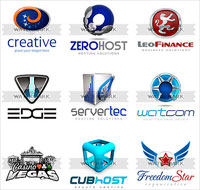
    Website design can be elusive to even creative individuals. Sadly some webmasters do not realize their incompetence and they post websites that have grainy graphics and turgid colors. If you are one of these webmasters and have seen the error of your ways, consider this. Your website is a sales tool. A professional layout and design can significantly increase sales and conversion rates, gaining you customers. Businesses can greatly benefit from a professional and unforgettable logo that sets them apart from their competition. Logos are not just fancy graphics that adorn websites or letterhead, logos are a representation of a businesses' philosophy. Logos are a critical component of brand development.

    Many webmasters do not realize that all images on the web are copy written and it is in many cases illegal to use an image that you find on the web without properly licensing it. Fortunately, for the graphically challenged websmasters there are a whole host of resources available to assist with web and graphic design. There are logo websites where you can purchase a single logo for a fixed fee, or subscription websites that allow you to purchase a subscription and download multiple logos. The logo is often the starting point for web design. Many webmasters use the companies logo to develop the website, the rest of the design evolves around the logo.

    Custom logo design can cost from $ 100 to over $ 1000 depending on the logos complexity and the number of revisions required. As a result, buying a stock logo can offers substantial savings, for a small business starting out.

    Fortunately for graphically challenged webmasters there are a number of websites through which webmasters can purchase a logo:

    Logo Search
    On Logo Search, website visitors can navigate through the logos using categories. The Logo Search website also has a search function allowing visitors to use keywords to locate specific color logos or logo styles. Visitors can purchase a single logo or they can purchase a subscription allowing them to download an unlimited number of logos for a specified length of time. Each download contains the image in a variety of format allowing webmasters flexibility. Webmasters can subscribe to an RSS feed so they are notified when new logos are posted and available for download. www.logo-search.com

    LogoStick
    Logo Stick is a web based tool that allows webmasters to use logo templates and design software, to create custom individualized logos. After the logo is completed it can be downloaded from the website. The online logo design software lets website visitors select from a variety of symbols, fonts and colors, so that webmasters can create a unique look. Unfortunately if your issue is a lack of creative talent, this solution may not be a good one. www.logostick.com

    LogoMaid
    LogoMaid contains a selection of more than 3300 unique and non-unique logos. Logos are sold individually and vary in price from $ 25.00 for a non-unique logo to $ 200 for a unique logo. Subscriptions to the LogoMaid website are not available. www.logomaid.com

    Check the Rules!
    If you purchase a logo be sure that you completely read the licensing agreement. Some agreements may restrict resale of the logo and you want to be aware of that if you are a webmaster reselling your services.

    Image matters by using an eye catching logo you will retain your website visitor's interest and instill confidence that you are a professional organization
    Continue reading »
  5. Web Design Basics:Don't let your Web Designer ruin your Web site

    Saturday, May 26, 2007
    By Andy
    You've all browsed to sites like it. Page loading.....loading. Then tinny music accompanies a flash extravaganza which leaves you no better informed as to what this site is all about. Classic case of an over enthusiastic web-designer let loose.

    The basics of good web design from a visual point of view are these -
    1.Inform the viewer what you offer.
    2.Inform the viewer who you are.
    3.Keep the viewer interest.


    There are of course millions of designs out there on the web and everyone's idea of what is attractive is different. But people go on to the Internet to find information. And they don't wait! If your site doesn't let them know what your all about within the first few seconds then they will move on.

    And that all singing, all dancing design leads on to further problems. It makes the page slow to load and now with the majority of Internet connections being broadband people will not wait.

    They want information.
    Search engine visibility can also suffer badly from web designer overkill. Google can't see the video and can't hear the music. And this is so often compounded by the expectation by the designer that the viewer, after watching the "show" will then click a link to move on to the sites actual content. So what is Googlebot supposed to index on the home page?

    Coupled with the technophile web designers second love php/asp Google is often left with 2 or 3 lines of copyright text to index. Flash and other multimedia activity has its place on the web but you wanted a web site to further your business or activity, not provide your web designer with the latest interactive buzz to show his friends.

    Keep it simple and you can still make it pretty.
    1. Provide clear and obvious navigation on every page. How often have followed links down into the never ending depths with the only way out is multiple use of the back button? If your site has an extended hierarchy then perhaps a breadcrumb trail.

    2. Provide easily accessible contact information on every page. Don't make your viewers search for your contact details.

    3. Use an "easy on the eyes" contrasting background and font colours with an adequate text size. We all haven't got the eye-sight of a 19 year old.

    4. Remember the design's first job is to impart information, not only to the viewer but also to the search engines. Make correct use of hierarchical headings, h1 h2 etc. and Google will reward you by noticing you.
    5. Make full use of alt and title tags to further impart information to the robots (and for the one or two cavemen that still use text only browsers.

    6. Use tools such as Poodle Predictor www.gritechnologies.com/tools/spider.go so you can see your site as the robots do.

    7. Provide copy, lots of it. Googlebot loves text and will happily index away in a text rich site.

    And always remember that the reason you wanted a web site was to make contact with people so you could tell them about yourself or your business or your ideas, not to provide a high tech experimental platform for your web designer. And if you don't want to break your designers heart by throwing away his (its normally males) "pièce de résistance" Flash intro then bury in the site where it can do you or your site no harm.

    But of course the best way to have the web site that YOU want is to use a web designer who not only knows his stuff but is willing to give you the site you want. Here at http://www.webdesign.org/goout.php?to=www.optimagest.com/pages_en/web_site_design_seo.html we will provide you with your ideal website that will at the same time be user and search engine friendly and meet all the required standards.
    Continue reading »
  6. Featured Sites: Review 1

    Hello, for every week i will post 3 featured sites for review. Random choose sites. Categories are: All - Flash - Flash/HTML - Expert - Experimental. Please visit this feature sites. Enjoy!!

    Drum Beat Digital (Flash/HTML)
    DrumBeatDigital has done a great job making Flash look like, and flow perfectly with Static HTML. By using Flash, they were able to add 3 extra areas to the index page, which allows the user to view case studies of recent projects. If you view the case studies they are actually created in Flash to give DrumBeatDigital a chance to be more narrative with their presentation. I like how the next button flashed when they wanted you to view the next section Two key design elements of this site that really caught my eye were that the design looked more like a print project and that they tried to give the sections of the site a distinct feel with their color choices.

    I Wish I Had A Name (Flash)
    Here is a site that does a great job of using masking for page transitions. I also thought that the index page was quite interesting. Instead of being your regular entry page, it's actually all Flash rather than your standard HTML splash design.


    Reason 2.5 Presentation (Flash)
    They've done it. A top 10 Flash Intro. I not sure if it's the Flash or the music that intrigues me so much. This is the cutting edge of Flash presentations. It's flawless! The first time I watched it my mouth gaped open in awe from the beginning to the end. I now have the window open on my 2nd monitor just to watch it over and over while I'm working. This is definitely a must see for anyone interested in Flash at any level. I can't even start to describe the perfection, the timing, the over all feel. Just click the link already! As an avid Reason fan, they have taken the software to a new level and Flash Presentations with it. propellerheads.se/home/frankfurt2003/frankpop.htm

    What do you think?? Nice..stay for next week featured sites.
    Continue reading »
  7. Web Design Basics: Must Know Tips for Redesigning your Website the Right Way

    Website redesigning can be as simple as you make it. However, it can also be as difficult as you make it. There are a number of things which you can do in order to make your website redesigning goes excellent. Here, we will take a closer look at some of the things that you can do in order to make sure that the website redesign process goes a whole lot smoother.

    Pick A Reputable Website Designing Company
    In order to get the best website redesign, it is important to make sure that you choose a reputable, well liked company. Not only is it important for them to have previous experience with website redesigning, but it is important for them to be able to cater to your needs.

    They should be worried about what it is that you are looking for, rather than what they feel. Finding a website redesign company which is not only well known and liked in the company but that will also put your values before their own is very important to your website's success.

    Think of Increasing Your Success
    If you know anything about website promotion, chances are that you know that the most important thing is for you to be successful. Increasing your company's overall success can be a very important key to your company's overall success.

    There are a number of things which can be done in order to increase it, but the main key is to keep this goal in mind. You want your website promotion to be as successful as possible.

    Develop a Good Style
    One of most important things about website designing in general is the overall appearance of the website. Whether you decide that you want your website to have a white background with basic black writing or if you want it to be rainbow multicolored, having an overall style is very important to the look of our website.

    It can determine several different things, such as the font which you decide to use and the graphics which you want to include on your website. Developing a style which you would like to have should be one of the first things that you do.

    Think About Content
    Although the appearance of your website is very important, the content which you want to include is very important. It can have an effect on both your website promotion and website optimization, which makes it very significant to your website redesign in general.

    Making sure that the information that is available for people to read sounds very legitimate, believable, easy to read and easy to understand can be a major key to how well liked and effective your website will be in general.

    Make it Very Keyword Rich
    One of the most important keys to your website's overall success and effectiveness is how well its website optimization is. How will you be able to improve the website optimization of your website?

    Well, it is simple really. All that you need to do is make sure that you website is keyword rich, in order to increase its optimization within search engines.

    Compare Websites in Search Engines
    As previously mentioned, in order to develop the best website optimization for your website, you need to make your website keyword rich. But, what do you do if you are not sure which keywords will be the most effective for you?

    One of these ways is to use search engines to find similar websites and see what keywords all of these websites have in common. This will give you a good idea of what types of keywords are popular for the type of website that you have.

    Know it is Up to Date
    One of the most important things that you need to keep in mind when you are in competition with another company is staying up to date. You should make sure that you check out the content that is on some other websites. This will give you an idea of whether or not your content is good enough, as well as whether or not your content needs to be updated.

    Making sure that your website is up to date with the times can be a very big key to how successful your company will do in the future. If your website hasn't been redesigned in years, chances are that it is very important for you to do.

    Make Sure it is Easy to Navigate
    One of the main keys to having a successful website is making sure that it is easy to navigate. If you have a business website which people do not understand how to use, chances are that they will not even try to use your services or buy your products.

    When you go through the website designing process, it is important to make sure that your website is put into simpler navigation form. The website designing company which you choose to use will be able to do this for you, as this is something which they are very familiar with.

    Make Sure it Grabs the Eye
    One of the most important things that any website needs to do is grab attention. If you feel that yours does not grab enough attention, a website redesign may be necessary for you. Not only should your website contain some really nice graphic designs in order to increase how appealing it looks to the eye, but the fonts and overall design should also be perfect.

    This is just one of the many things which website redesigning can do in order to increase your website's overall appearance.

    Develop Credibility
    One of the most important things that you need to do in order to increase your websites sales through website promotion is make sure that your products or services are credible. How do you do this? Well, a number of ways. You need to make sure that you give as much information about your website as possible.

    If possible, you can consider adding a discussion forum where all of your customers can recommend your services and share the experiences which they have had with your services.
    Continue reading »
  8. Web Design Basics: Designing a User Friendly Website

    Here are some points to be kept in mind while designing a website that easy to browse through and serves its ultimate purpose of providing information. Legibility. Content is the king, this is not to be forgotten ever! Any user coming to your website is there to get some information. If that information is hard to get, user will leave your website and go to Google to find out an alternate source.

    Legibility of text is one of the most important things to be kept in mind. Selection of appropriate font-size and keeping adequate contract between text and background are too things that should always be kept in mind while making a website template.

    Some researchers even claim that restricting font size by using CSS (where the design specifies a fixed font size value) is another thing that irritates users who like to customize the font size as per their visibility preferences.
    Always keeping target user segment in mind while deciding the font-size.

    Standardize navigation
    Always distinguish hyperlinked text from normal body text. Don't forget to differentiate visited and unvisited links.

    Include some of the key information-carrying terms in the anchor text itself to explain what users will find at the other end of the link. This will also aid in search engine optimization (SEO).
    Try to avoid opening pages in new windows. A lot of PC owners have their pop-ups blocked, while the ones who don't, feel lost when a new window opens.

    Use of Media Elements
    Flash and other media elements such as video, MP3 etc. should be used only when there is a need. Flash can be used to emphasize key information or better still to demonstrate some functionality. The latest version of Flash is has amazing features to add functionality to a website.

    So, the idea is to use media elements sensible and if-and-when required. Despite such good intentions, most of the Flash that Web users encounter each day is bad Flash with no purpose beyond annoying people. The one bright point is that splash screens and Flash intros are almost extinct. They are so bad that even the most clueless Web designers won't recommend them, even though a few (even more clueless) clients continue to request them.

    Browser compatibility
    This must be the most annoying task for a web designer. Although a lot of browser incompatibility issues have been taken care in past 2-3 years, but even now we see some minor disagreements between the leading web browsers.

    You like it or not, web users choose to browse web on the browser of their choice. So rather than turning them away just because they use a different platform, it is a must to design a website that performs reasonable alike on major web browsers (IE and Firefox for sure)

    Form Pages
    Try to keep your forms short and to the point. Big forms, featuring too many unnecessary questions and options tend to irritate a user. Try top cut all the questions that are really not needed. For example, do you really to know the first and last names in separate text boxes? Get your website analyzed for FREE to know what additional functionalities can be added to it. If you already know what functionality the web site requires, request a FREE quote now to get a detailed proposal.
    Continue reading »

Promo Code: 5% discount for Website Templates

Select template below and copy this promo code 5% :ia5iKt8Sok357yMFTv4a

Rules
Number of Orders: 1
Min. Order Amount ($): 120
Expiration Date:
5 July 2010

Buy Website Template

Got Template For You Description Avatar Logo The major advantage of purchasing a website template is price: You get a high quality design for just $20-$70. You don't have to hire a web designer or web design studio. Second advantage is time frame: It usually takes 5-15 days for a good designer to produce a web page of such quality.

Blogger Buster LogoSmashing Logo© Got Template For You.